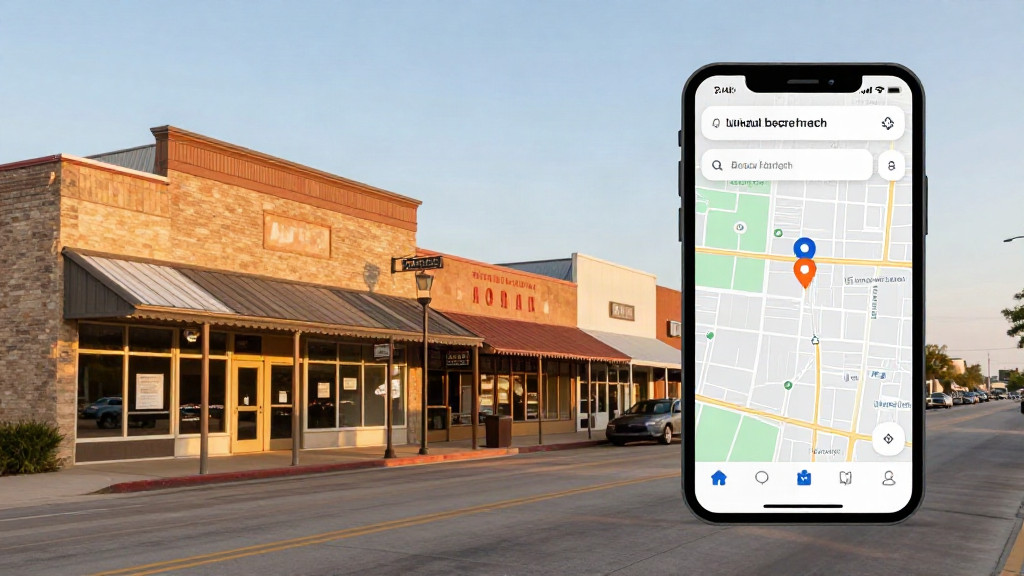

For most local businesses in Fort Bend County, the first impression is not the website. It is the Google Business Profile that appears when someone searches “dentist near me” or “plumber in Sugar Land”: photos, stars, hours, and a call button, all before anyone clicks a link.
Google Business Profile optimization is the work of making that listing accurate, complete, and credible enough that Google shows it and customers choose it. (If you still call it Google My Business or GMB, it is the same listing under its current name.) This is how we approach it at Inmode Interactive. It is written for owners who want durable results, not shortcuts that end in a suspended profile.
How Google Decides Who Shows Up
Google says local results are based mainly on three things: relevance, distance, and prominence. Relevance is how well your profile matches what someone searched for. Distance is how far you are from the searcher. Prominence is how well known you are, which comes from reviews, ratings, and mentions and links around the web.
You cannot change where a customer is standing, so the work is relevance and prominence. Relevance is usually the faster lever. One more point from Google’s own guidance: nobody can pay for a better local ranking, so be skeptical of anyone who promises one.
1. Get the Foundation Right
- One verified profile per location. Duplicate listings for the same location split your signals and can trigger suspensions.
- Your real-world business name. Use the name on your sign, website, and paperwork. Adding keywords, city names, or slogans violates Google’s guidelines and is one of the most common reasons profiles get suspended.
- The most specific primary category. Your primary category decides which searches you are eligible for. Pick the one that describes what the business is, not everything it offers. Google advises using as few categories as possible, so add a secondary category only for a genuine core line of business.
- The right address model. If customers visit you, show your address. If you travel to customers, set up a service-area business and list only the towns you actually serve.
- Accurate hours, including holiday and special hours. A customer who drives to a closed door will not come back.
2. Complete the Details That Match How People Search
- Services. List each service individually with a short, plain description wherever your category supports it. This is where much of your relevance comes from.
- Business description. Say who you serve and what you do in plain language. Google does not allow links or sales-heavy language in it.
- Attributes. Fill in the ones that apply, such as accessibility, appointment requirements, languages, and payment options.
- Website link. Point it to the most relevant page, such as a location or service page, not always the homepage. Add UTM parameters so profile visits show up separately in your analytics.
- Phone number. Use a local number that matches your website. If you use a call-tracking number, make sure your main number is still listed as an additional number so your name, address, and phone details stay consistent.
3. Photos That Prove You Are Real
Photos do two jobs: they help customers decide, and they give Google more to match to your business. Use real images of your exterior, entrance, interior, team, and finished work. Skip stock photography, and add new images steadily instead of in one batch.
One tactic you can skip: geotagging image files. We have not seen credible evidence that it affects ranking, and the time is better spent on photos people actually want to look at.
4. Reviews: Earn Them, Do Not Engineer Them
Reviews affect both ranking and conversion, so build a repeatable process.
- Ask every satisfied customer, at the moment the work is done.
- Make it one tap with a direct review link or a QR code on an invoice, receipt, or counter card.
- Ask everyone, not only the customers you expect to be happy. Google’s policies prohibit selectively soliciting positive reviews, and they prohibit offering incentives for reviews.
- Reply to every review professionally. Mention what you actually did for the customer. Naturally mentioning the service or city is fine; stuffing keywords into replies is not.
- For negative reviews, respond with facts and an offer to resolve it offline. If a review is fake or violates policy, flag it through Google’s process.
If you run a healthcare practice, add one more rule: never confirm in a public reply that someone is a patient or discuss their care. A reply can be warm and still reveal nothing.
5. Posts and Updates: Useful, Not a Magic Lever
Posts are a good way to share offers, events, new services, and seasonal hours with people who are already looking at your profile. Do not expect them to move rankings by themselves. Keep them short, post when you have something real to say, and make sure the profile never looks abandoned.
6. Make Your Website Back Up Your Profile
Google connects your profile to your website, so weak local signals on the site hold the profile back. At minimum:
- Create service-and-city pages that name what you do and where you do it.
- Keep your business name, address, and phone number identical to your profile.
- Add local business schema that matches the profile.
- Earn real local links and citations. They feed prominence.
- Make the site fast and easy to use on a phone, since that is where most of these searches happen.
7. Measure Calls, Not Vanity Rankings
A ranking in one spot on a map tells you very little, because results shift by searcher location. Track what the business actually cares about: calls, direction requests, website clicks, and booked jobs. Use the profile’s own performance data, a UTM-tagged website link in your analytics, and call tracking where it makes sense. If you cannot tie the profile to leads, you are guessing.
8. If Your Profile Is Suspended
Do not create a new listing, since that usually makes things worse. Instead:
- Compare your profile to Google’s guidelines to find the likely cause: the business name, address, category, or an eligibility issue.
- Correct the problem on the profile.
- Submit a reinstatement request with real-world proof that the business operates at that name and address, such as licenses, signage, and utility or business records Google asks for.
- Wait for the review, and avoid filing repeated requests.
9. Where AI Search Fits
AI-generated answers and assistants draw on the same public signals: consistent business information, reviews, and clear website content. There is no separate trick here. A business whose details are accurate and consistent everywhere is easier for any system to describe correctly, and that is a good reason to treat the basics seriously.
A 30-Day Starting Plan
- Week 1: Verify the profile, fix the business name, primary category, address model, and hours.
- Week 2: Complete services, description, attributes, and the website link with UTM tracking.
- Week 3: Upload real photos and set up a review request process with a direct link or QR code.
- Week 4: Reply to existing reviews, add or improve your service-and-city pages, and set up call and lead tracking.
Frequently Asked Questions
How long does Google Business Profile optimization take to work?
There is no honest single number. Fixing a wrong category or missing information can show movement within weeks. Competitive markets and review growth take months. We measure calls and direction requests, and we do not promise rankings.
Can I add keywords to my business name?
No. Google’s guidelines require your real-world business name, and keyword-stuffed names are a common cause of suspension.
Can I have a profile if I do not have a storefront?
Often yes, if you serve customers at their location. You set up a service-area business and hide your address. Google decides eligibility, so check its current guidelines first.
Let’s Talk About Growing Your Business
Whether it’s local SEO, Google Business Profile optimization, or a better-performing website, we’re here to help you get noticed. Request a free Google Business Profile audit and we will show you what is holding your listing back.
Call or Text: 832-791-3337
Schedule a quick phone consultation with Inmode Interactive.
Written by Jesse DeLeon
Founder of Inmode Interactive, a local SEO agency based in Sugar Land, Texas. He helps local businesses rank on page 1 of Google, win the map pack, and turn searches into real calls and customers.
Recommended Internal Guides
- Google Business Profile Management in Sugar Land
- Local SEO in Sugar Land
- 7 Google Business Profile Fixes for Sugar Land Businesses
- Why Your Business Is Not Showing Up in Google Maps
- Med Spa and Healthcare Marketing in Sugar Land
- About Inmode Interactive
- Free Google Business Profile Audit
Verified Industry Citations
- Guidelines for Representing Your Business on Google ↗
- Tips to Improve Your Local Ranking on Google ↗

Lead SEO & Growth Strategist
Founder of Inmode Interactive, a local SEO agency based in Sugar Land, Texas. He helps local businesses rank on page 1 of Google, win the map pack, and turn searches into real calls and customers.